To complete your metro water booking in Chennai, visit the CMWSSB “Dial for Water 2.0” portal, register with your Zone, Ward, and Bill number, verify your mobile number via OTP, choose your tanker capacity, and pay online. Tankers are usually delivered within 24-48 hours of a confirmed booking.
What Is Metro Water Booking?
If you live in Chennai and your borewell has run dry, your street doesn’t get piped water on schedule, or you’ve just moved into a new flat with no water connection yet, the fastest legal way to get water delivered to your door is through Chennai Metro Water’s online tanker booking service officially called Dial for Water 2.0 (DFW 2.0).
Metro Water refers specifically to the Chennai Metropolitan Water Supply and Sewerage Board (CMWSSB), the government body responsible for piped water, tanker supply, and sewage services across Chennai city and its surrounding zones.
I’ve used this portal myself and helped several neighbours book tankers during Chennai’s dry spells, so here’s a genuinely practical, step-by-step breakdown – not just what the portal says, but what actually trips people up.
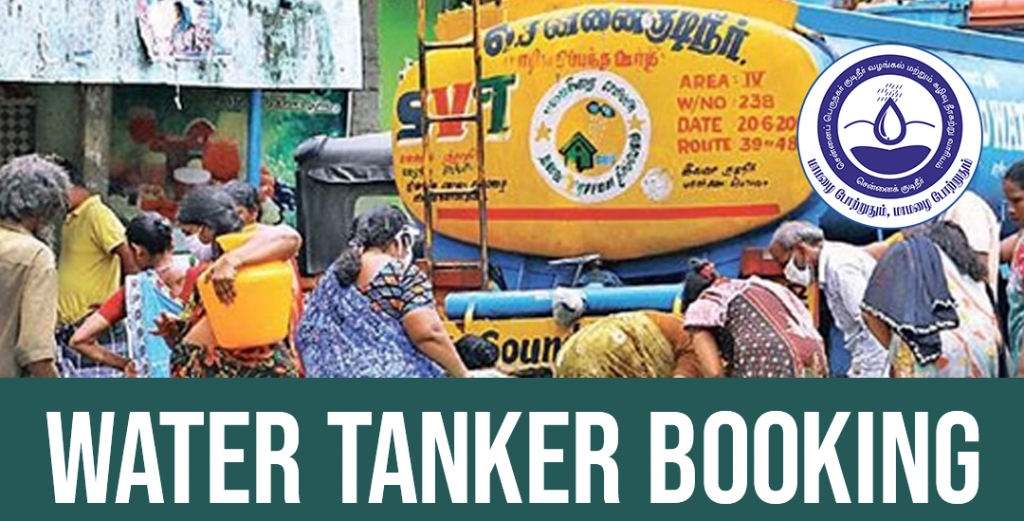
Areas Covered Under Chennai Metro Water Tanker Booking
CMWSSB’s tanker booking service is available across all zones under Chennai Corporation, including:
- Anna Nagar, Kilpauk, Aminjikarai (Zone 7-8 belt)
- Adyar, Besant Nagar, Thiruvanmiyur
- T. Nagar, Mylapore, Mandaveli
- Velachery, Pallikaranai, Medavakkam
- Porur, Ramapuram, Valasaravakkam
- Tambaram, Pallavaram, Chromepet (added after GCC boundary expansion)
Note: If your address falls within a CMWSSB serviced zone, you’re eligible. If you’re on the outskirts (parts of Sriperumbudur, Oragadam, etc.), you may need to rely on private tanker operators or the local panchayat/municipality instead of CMWSSB.
Chennai Metro Water Tanker Price List (2026)
Tariffs depend on lorry capacity and whether the connection is registered as domestic or partly commercial.
| Lorry Capacity | Booking Mode | Booking Window | Domestic Tariff | Partly Commercial Tariff |
|---|---|---|---|---|
| 6,000 Litres | Online | 7:00 AM – 3:00 PM | ₹578 | ₹1,128 |
| 9,000 Litres | Online | 7:00 AM – 3:00 PM | ₹867 | ₹1,689 |
| 16,000 Litres | Online | 7:00 AM – 3:00 PM | ₹1,155 | ₹2,255 |
| 18,000 Litres | Online | 7:00 AM – 3:00 PM | ₹1,733 | ₹3,377 |
Tariffs last verified: Sep, 2026. CMWSSB revises rates periodically, always confirm the final amount at checkout before paying.
A tip most guides skip: individual houses are typically limited to 6,000-9,000 litre tankers, while apartment complexes with higher daily consumption can request the 16,000 or 18,000 litre option. If your building’s booking keeps defaulting to a smaller capacity, it’s usually because your registered connection type hasn’t been updated – you’ll need to raise that with your area engineer, not the booking portal.
How to Register for Metro Water Booking (First-Time Users)
- Go to the official Dial for Water 2.0 portal – bookmark this; it’s the only legitimate booking link, and there are look-alike sites that aren’t run by CMWSSB.
- Click Register, then enter your Zone Number, Ward Number, Bill Number, and Sub Code. These four details are printed on your existing metro water bill/consumer card – if you’ve never received one, contact your area engineer’s office first, since you can’t register without a valid connection ID.
- Submit, and your account is created and linked to your consumer number.
How to Book a Water Tanker Online (Step by Step)
- Log in and go to Book a Water.
- Enter your registered mobile number and tap Generate OTP. The OTP typically arrives within 30-60 seconds; if it doesn’t, check that the number matches what’s on file – this is the most common booking failure people report.
- Select your required tanker capacity from the options available for your connection type.
- Choose a delivery date (bookings are usually fulfilled within 24-48 hours, though this can stretch during peak summer demand).
- Proceed to payment using a credit or debit card.
- Save the Booking ID/Reference Number shown on the confirmation screen – you’ll need it to track status or file a complaint.
Important: Once a booking is confirmed and paid for, CMWSSB does not allow cancellations or date changes. Double-check your capacity and delivery date before you pay. Most connections also can’t be rebooked for 7-10 days after a delivery, so plan your household’s water buffer accordingly.
How to Check Your Metro Water Booking Status
Already booked and want to know when your tanker is arriving?
- Return to the DFW 2.0 portal and select View Booking Status.
- Enter your registered mobile number and the Booking Number from your confirmation.
- The portal will show whether your tanker is pending, dispatched, or delivered.
If your booking is significantly overdue past the promised delivery window, that’s when you move to the complaint process below, not a fresh booking – booking again while one is pending can create duplicate entries and billing confusion.
Metro Water Online Payment
Payment happens at the tail end of the booking flow (Step 5 above), not separately. A few practical notes:
- Only credit and debit cards are supported through the online portal.
- Complete payment within the session time limit shown on screen (typically around 15 minutes) – if the session times out, you’ll need to restart the booking, not just retry payment.
- If money is debited but the booking doesn’t confirm, don’t rebook immediately. Wait a few hours for the transaction to reconcile, then check your booking status. If it still doesn’t reflect, call the CMWSSB helpline with your transaction reference.
Chennai Metro Water Complaint Number & Status Check
If your tanker doesn’t arrive, water quality is a concern, or you’ve spotted a leak/pipeline issue:
| Action | Details |
|---|---|
| Register a complaint | File a complaint here |
| Check complaint status | Check status here |
| Complaint helpline | 044 4567 4567 |
Chennai Metro Water Contact Details
| Channel | Details |
|---|---|
| Phone (20 lines) | 044 4567 4567 |
| 81449 30308 | |
| Toll-free | 1916 |
| Twitter/X | @CHN_Metro_Water |
| @CMWSSB | |
| @chennaimetrowater |
Frequently Asked Questions
Is metro water booking available 24/7?
No. Online tanker bookings are accepted only between 7:00 AM and 3:00 PM daily. Bookings placed outside this window won’t go through, even if the portal is technically accessible.
Can I cancel a metro water booking after payment?
No, CMWSSB does not permit cancellations or rescheduling once a booking is confirmed and paid. Verify capacity and delivery date carefully before checkout.
How long does metro water tanker delivery take after booking?
CMWSSB targets delivery within 24-48 hours of a confirmed booking, though this can extend during summer months when demand spikes across the city.
Can apartments book larger tankers than individual houses?
Yes. Multi-storeyed/apartment connections are generally eligible for the 16,000 and 18,000 litre tankers, while individual houses are typically capped at 6,000-9,000 litres, depending on the registered connection type.
What if I don’t have a Zone, Ward, or Bill number to register?
You need an existing CMWSSB metro water connection to register. If you’ve moved into a new property without one, contact your local area engineer’s office to get a connection set up before you can use online booking.
Is there a mobile app for metro water booking?
CMWSSB’s primary booking channel is the Dial for Water 2.0 web portal. Use only the official portal link to avoid third-party apps that impersonate the service.
Good clarification to apply online for water supply. Thank you.
Thank you.